Getting Started
Getting Started
Initial setup and configuration of DuoKey AWS XKS Proxy
Overview
Implementing DuoKey AWS XKS Proxy involves several key steps:
Implementation Steps
Deployment Decision Tree
1. Connectivity Model
| Option | Description | Best For |
|---|---|---|
| Public Internet | Simpler setup, lower operational overhead | Development/testing, robust internet security |
| Private Network/AWS VPC | More secure, traffic stays on AWS network | Production, regulated workloads |
2. Vault and Key Selection
Each XKS endpoint is bound to a single AES-256 key in a single vault that you've already configured in DuoKey Cockpit — there is no per-request routing across multiple backends. If you need to expose more than one backend to AWS KMS, deploy a separate XKS endpoint for each.
| Vault Type | Best For |
|---|---|
| HashiCorp Vault | Organizations already using Vault for secrets management |
| AWS KMS | Multi-account AWS environments |
| DuoKey MPC | Distributed threshold cryptography requirements |
3. Compliance Requirements
| Requirement | Recommendation |
|---|---|
| HIPAA, PCI DSS, FedRAMP | Use VPC endpoint connectivity |
| Data Sovereignty | Consider geographic placement of key manager |
| Audit Requirements | Enable comprehensive logging on all components |
Prerequisites Checklist
Prerequisites
- AWS account with administrative access
- AWS KMS enabled in target region(s)
- IAM permissions for custom key stores and KMS keys
- TLS certificates for proxy authentication
- DuoKey Cockpit account and XKS Proxy license
- A vault already configured in DuoKey Cockpit (e.g. HashiCorp Vault or DuoKey MPC) containing your AES-256 key
- Network connectivity plan from AWS KMS to proxy
- Round-trip time (RTT) under 35ms recommended
Quick Start: DuoKey Cockpit Wizard
The easiest way to set up AWS XKS is through the DuoKey Cockpit wizard interface.
Access XKS Setup Wizard
Navigate to the DuoKey Cockpit and select the AWS XKS application setup wizard.
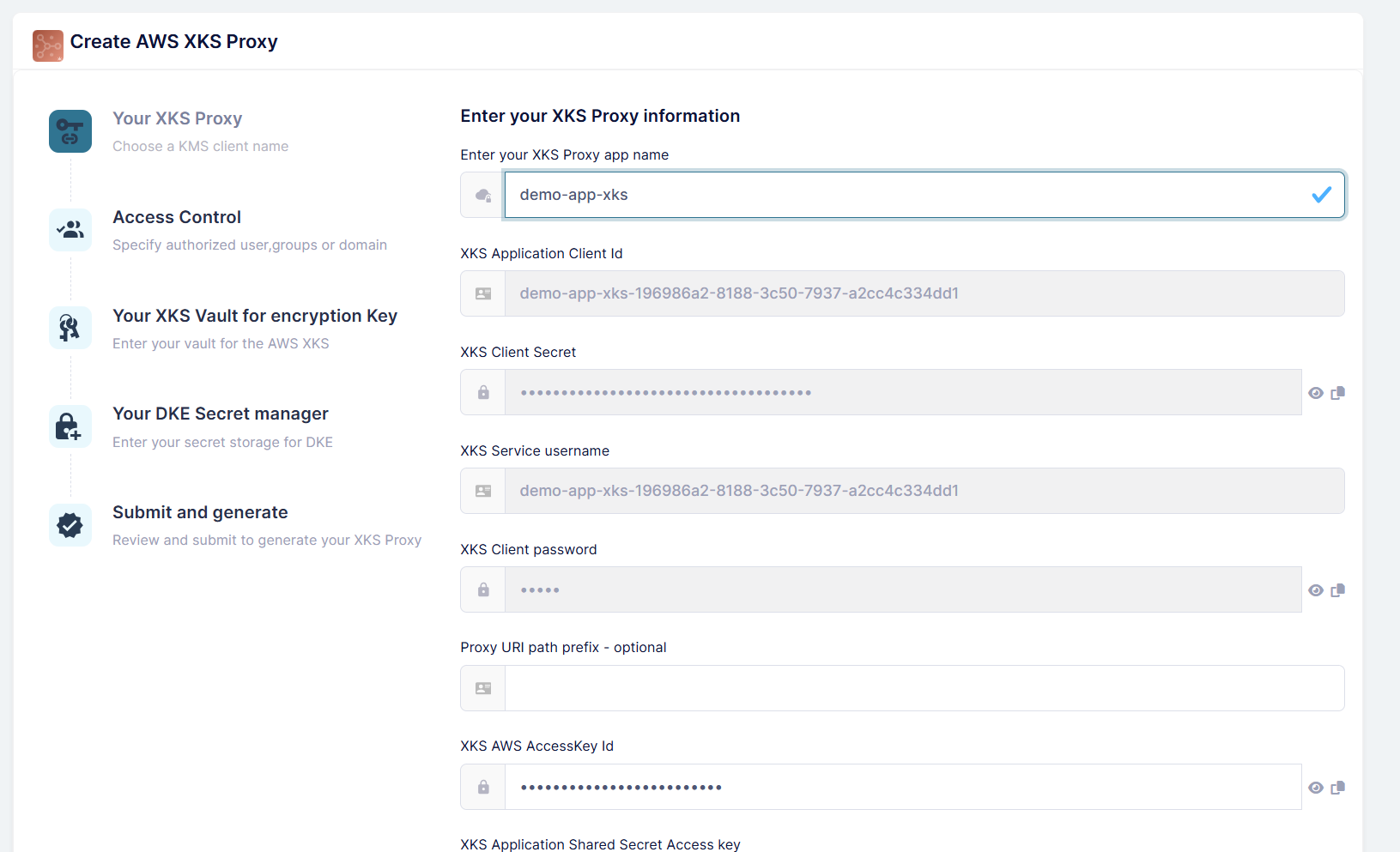
Provide:
- Application name for your XKS deployment
- Basic configuration parameters
- Connection endpoint details
Configure Access Control
Set up the access control and authentication settings for your XKS proxy.
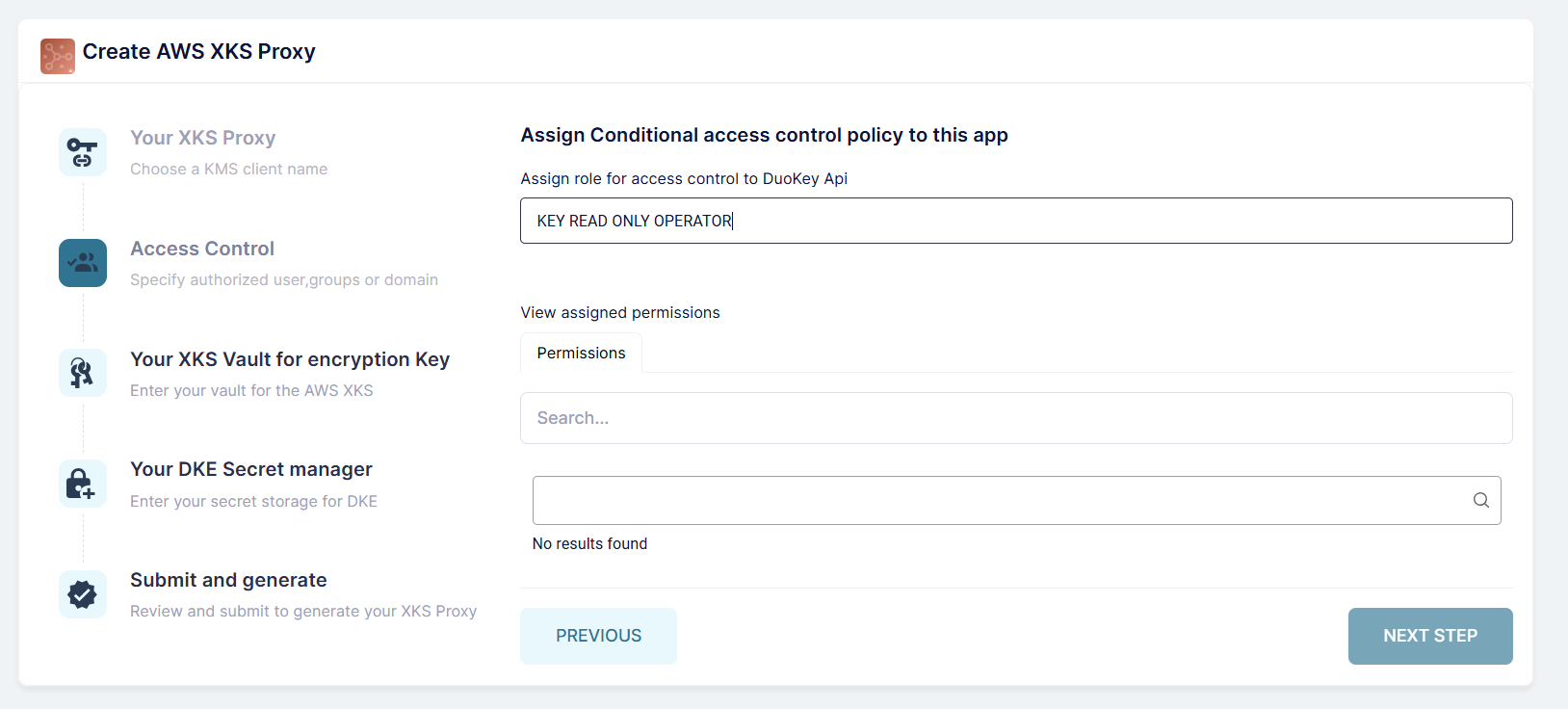
Configure:
- SigV4 authentication credentials
- Access key ID and secret access key
- Permission policies
Select Vault and Key
Choose the vault and AES-256 key this XKS endpoint will use. The vault must already be configured in DuoKey Cockpit.
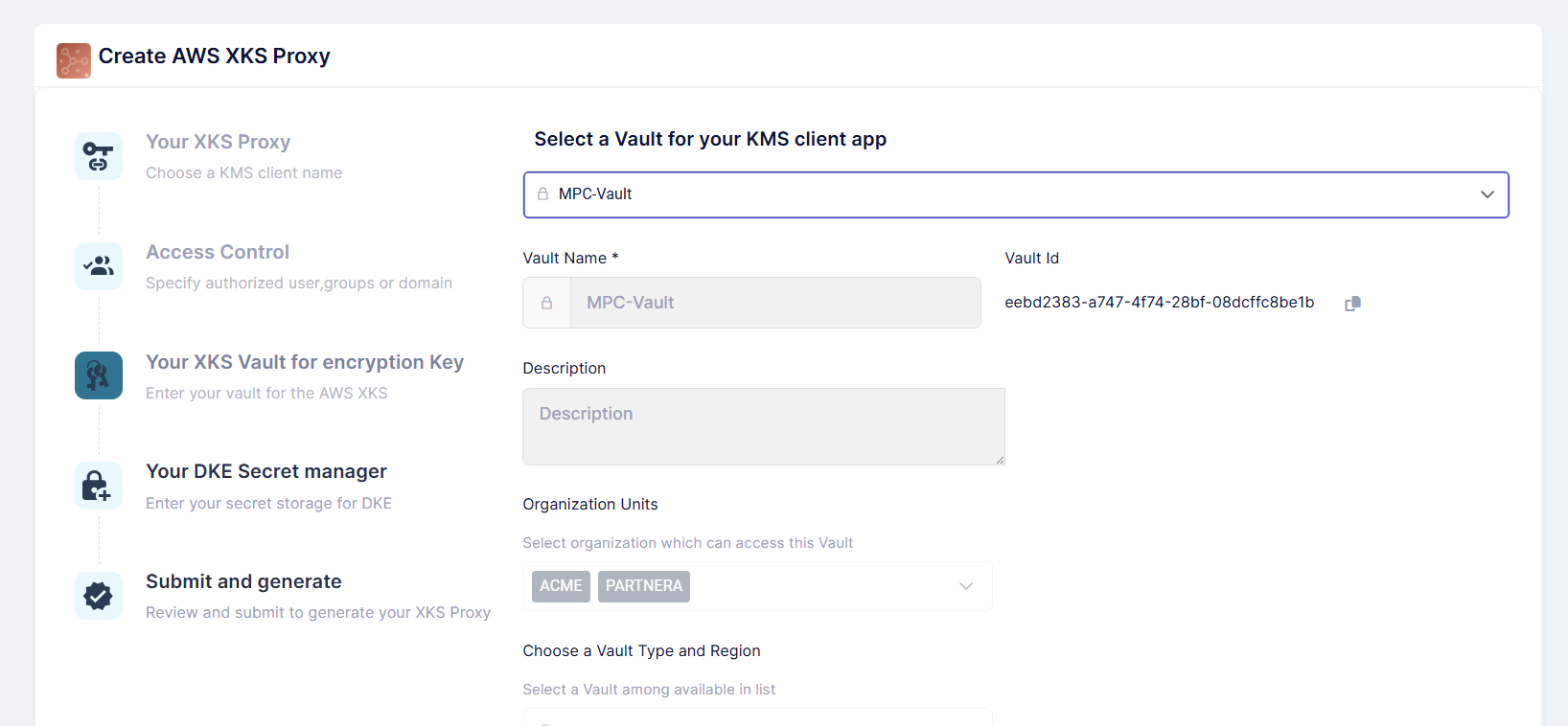
Example vault types:
- HashiCorp Vault
- AWS KMS
- DuoKey MPC
Configure Secret Manager Store
Set up the connection to your chosen secret manager or key store.
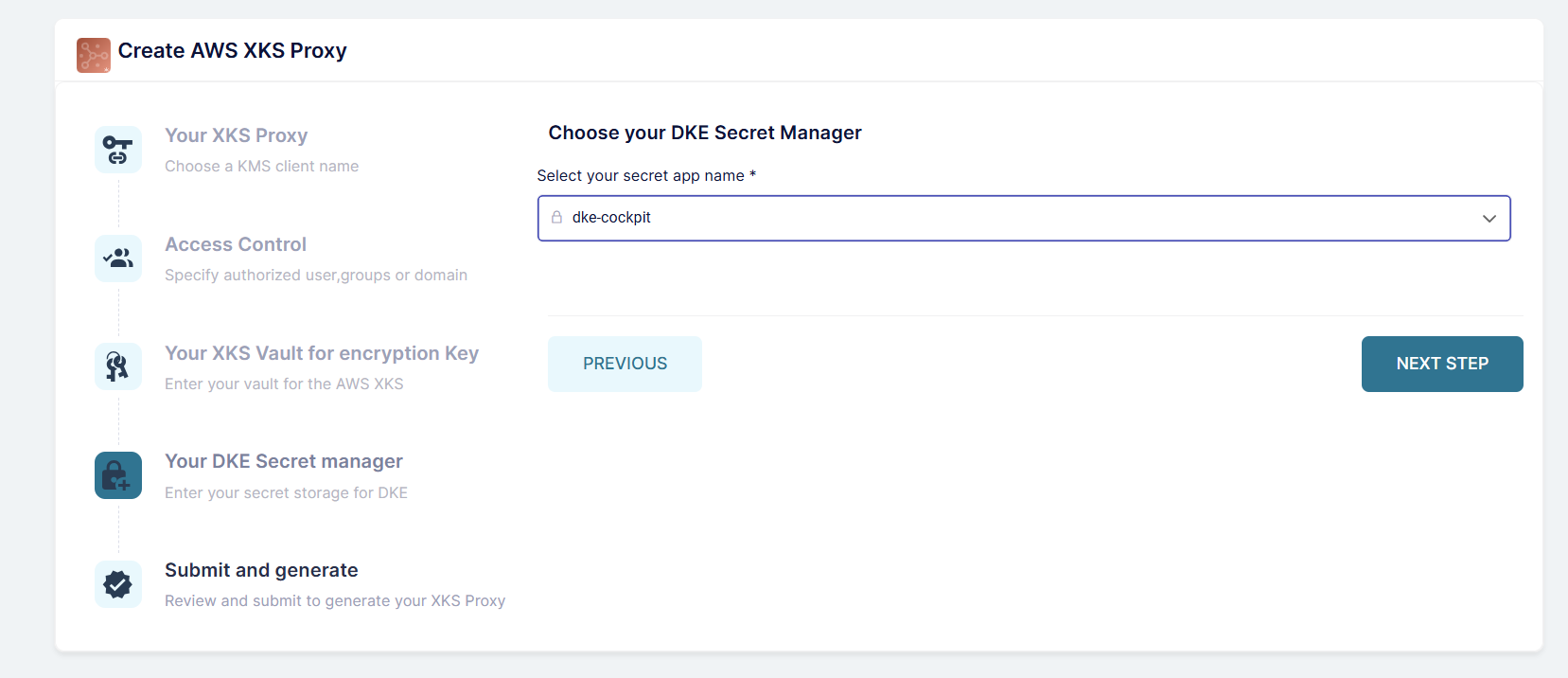
Provide:
- Vault endpoint URL
- Authentication credentials
- Transit path or key storage location
- Namespace (if applicable)
Review and Submit
Review all configuration settings before creating your XKS deployment.
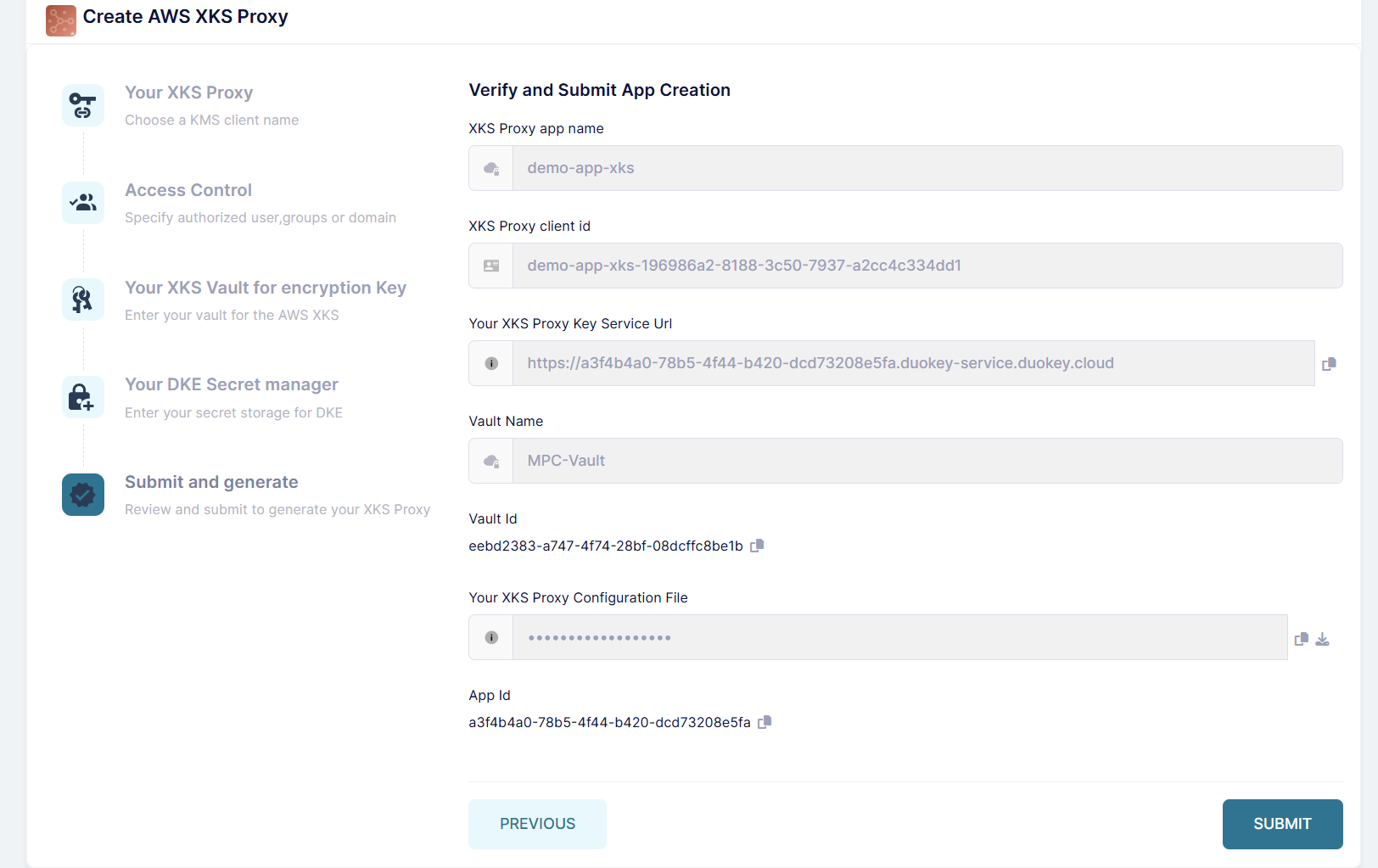
Verify all connection parameters, authentication settings, backend configuration, and network settings.
Deploy the Application
Once submitted, the wizard will deploy your XKS proxy application.
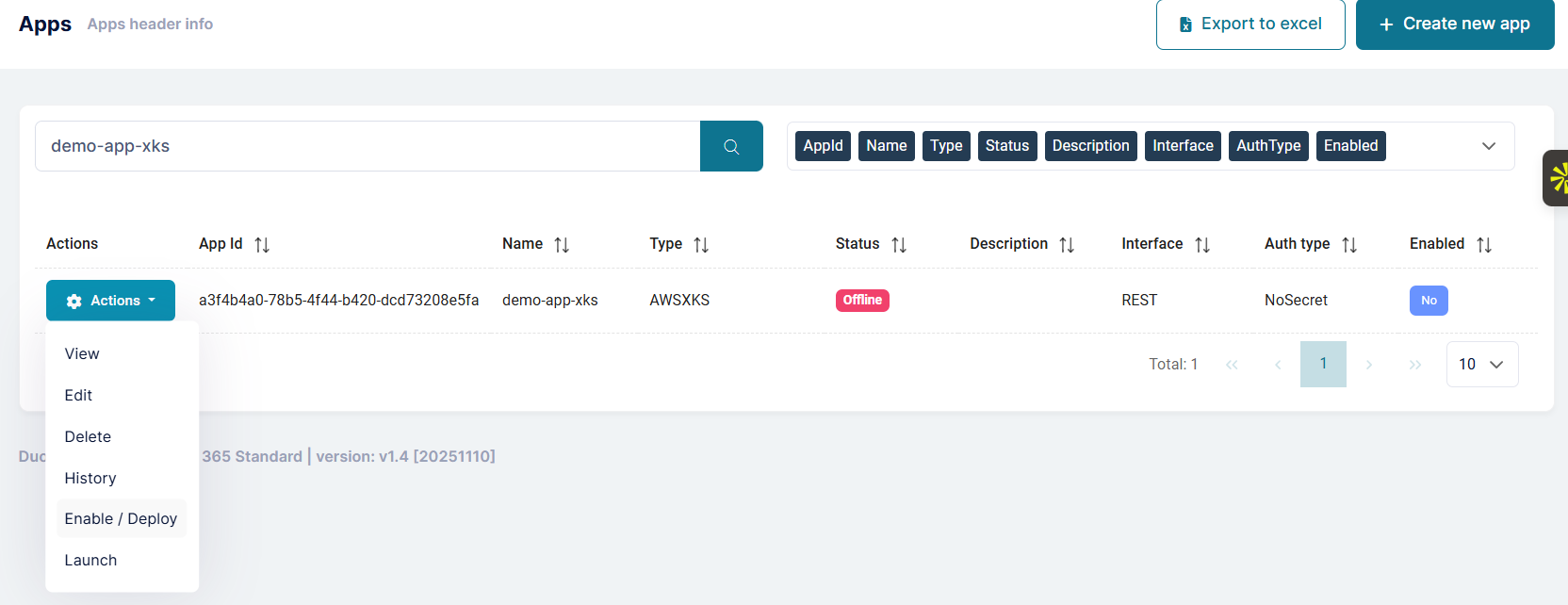
The system will create container instances, configure networking, set up health checks, and initialize connections to backends.
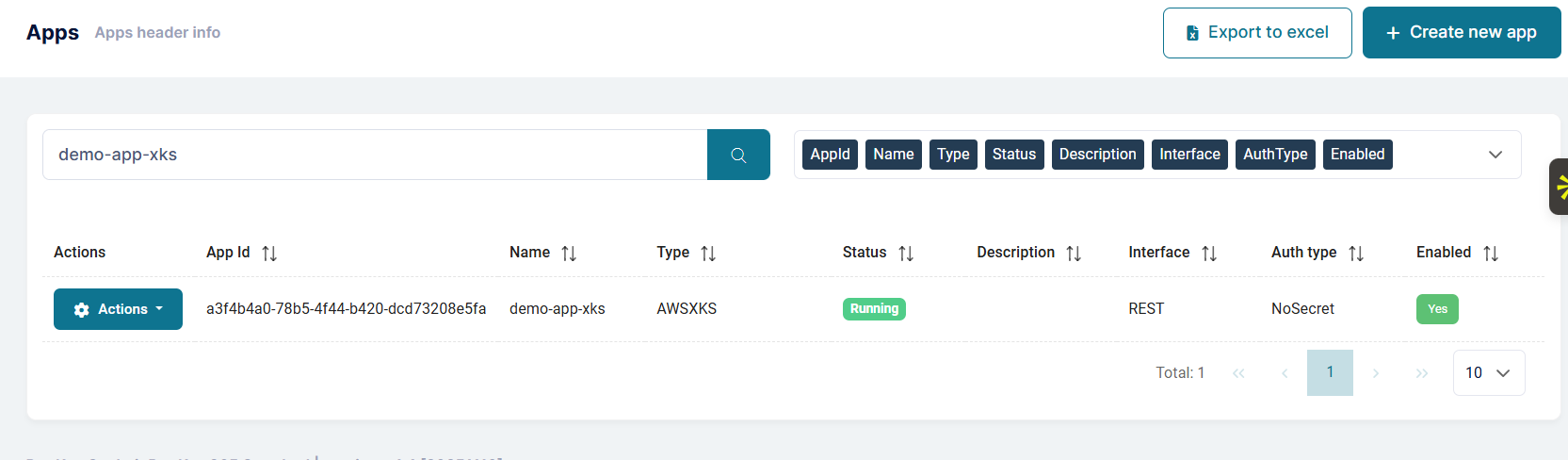
Verify Container Status
Wait for the container to be fully deployed and running.
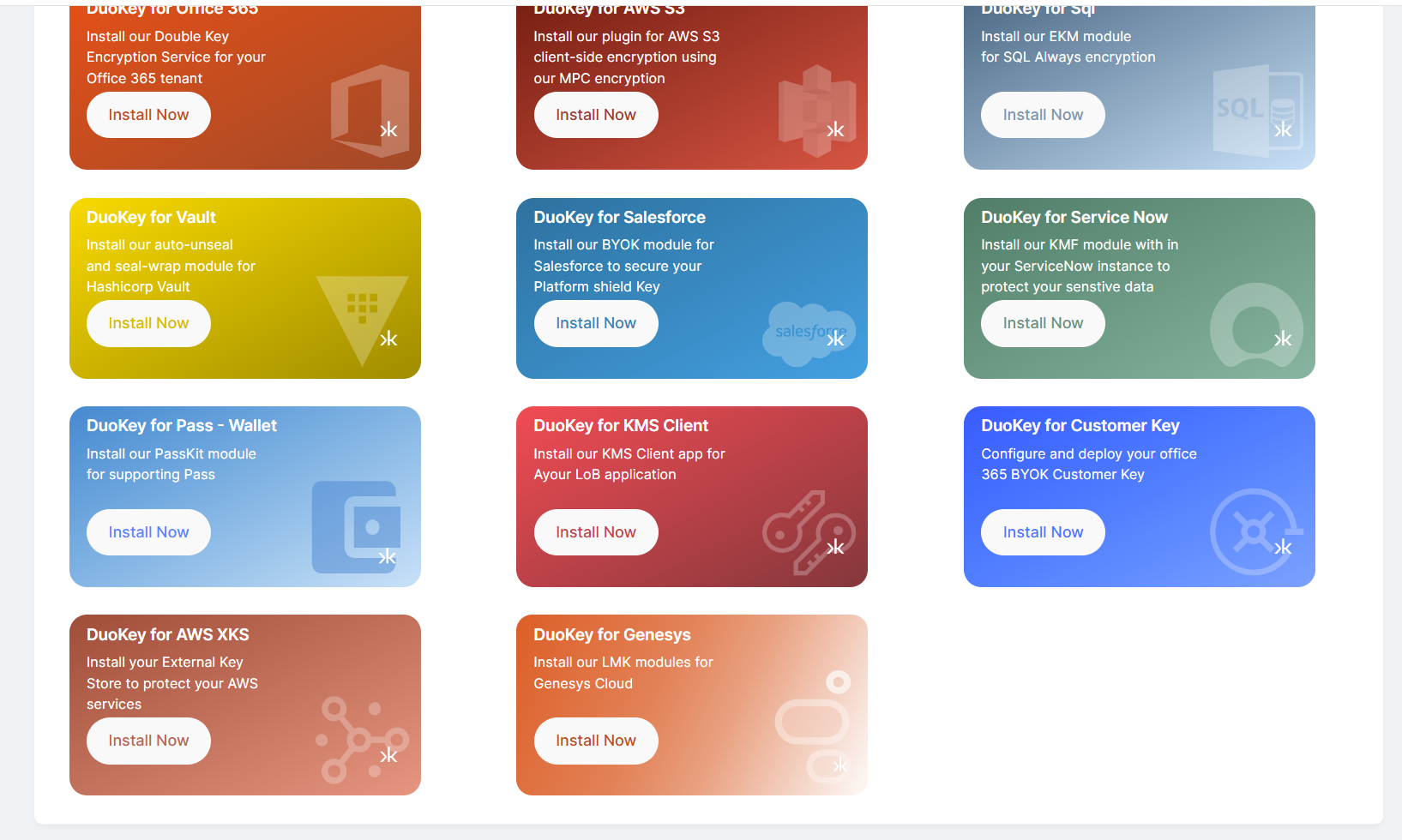
Check Application Dashboard
Access the XKS application dashboard to monitor status and health.
Download Configuration
Download the XKS JSON configuration file for AWS integration.
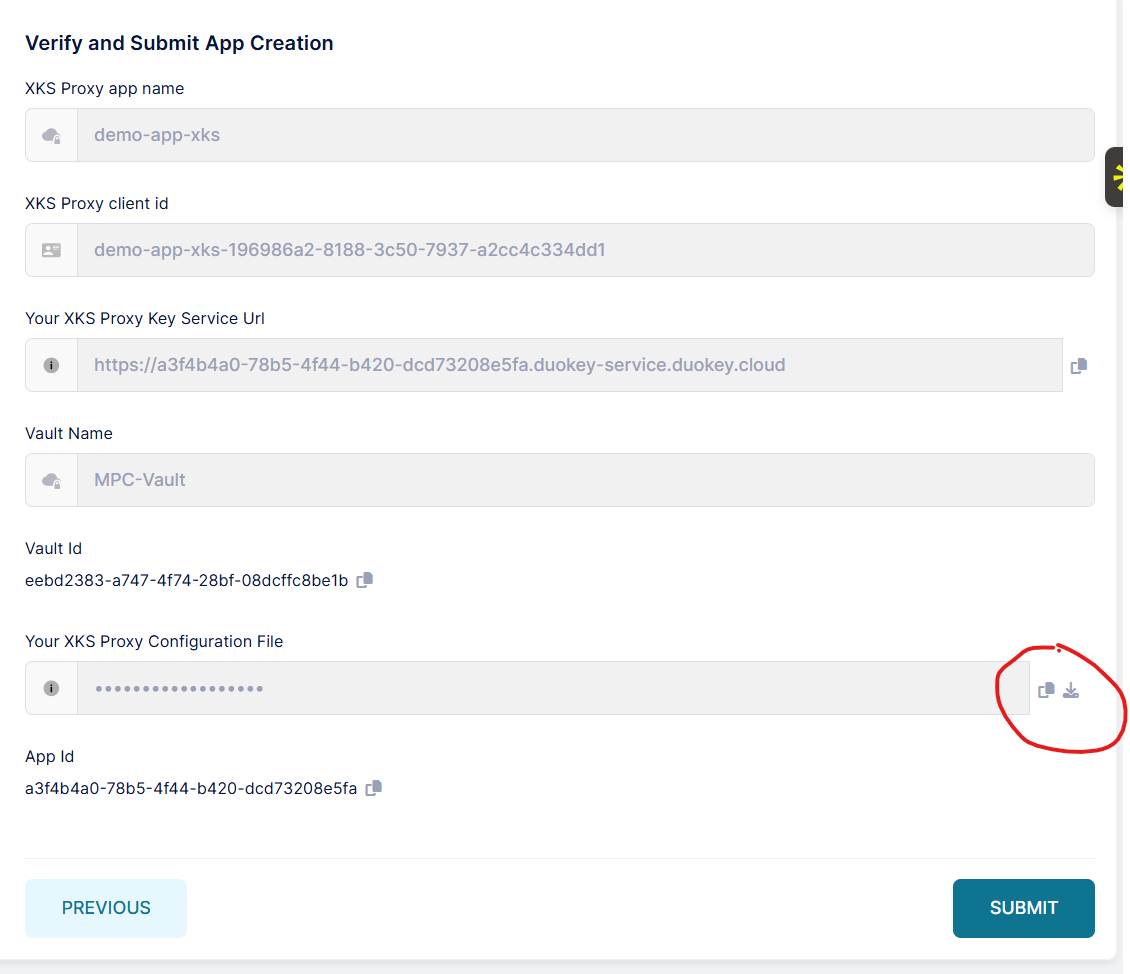
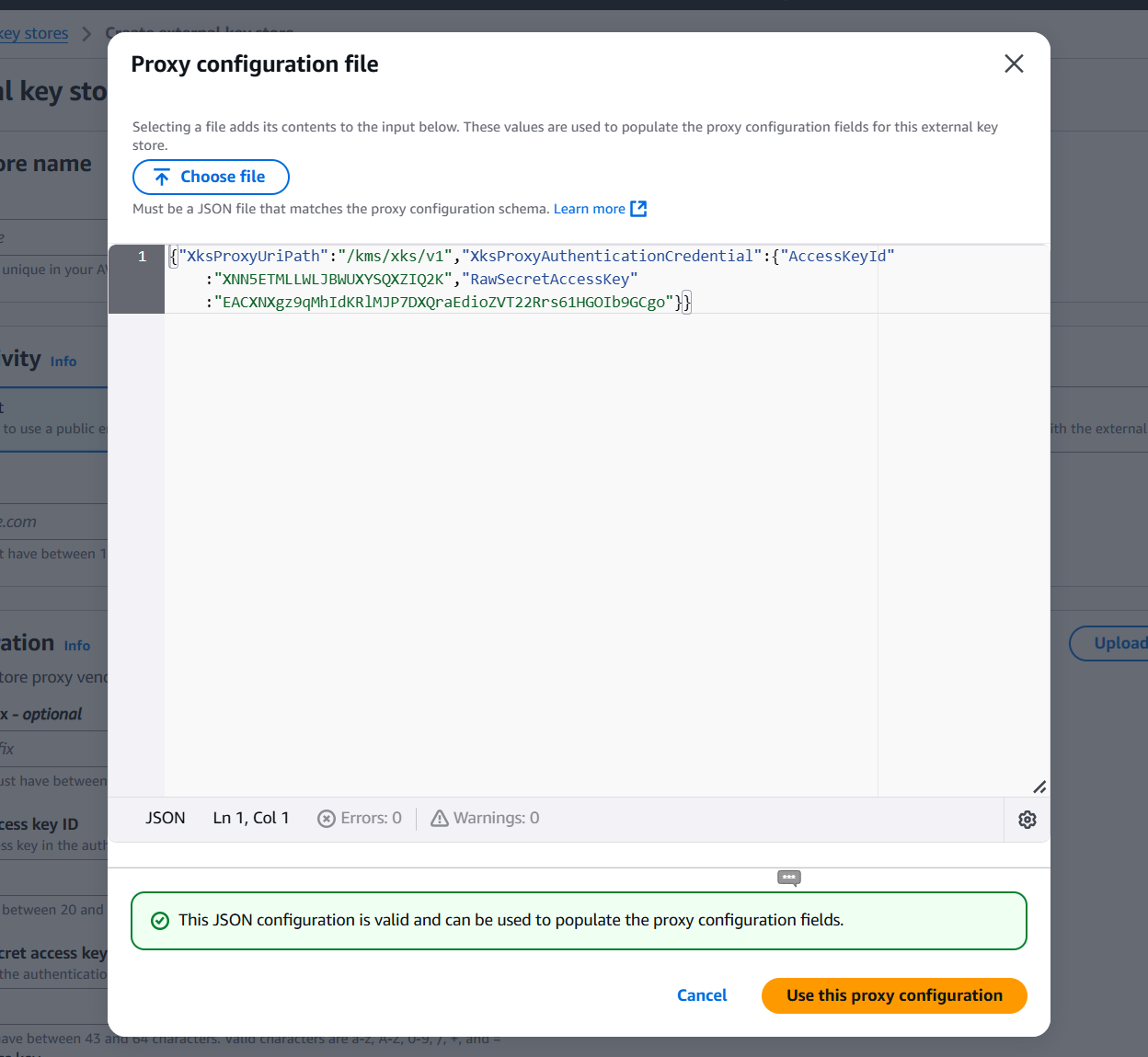
This file contains the XKS proxy endpoint URI, authentication credentials, and configuration parameters for AWS.
Configure AWS KMS
Upload the configuration to AWS or manually create the external key store.
Deploying via the Management API (Alternative)
The AWS XKS Proxy is a built-in feature of DuoKey Cockpit — there is nothing to download or install separately. If you prefer to automate deployment instead of using the wizard, call the JWT-authenticated management API directly.
Architecture Patterns
Pattern 1: Single Backend (HashiCorp Vault)
AWS KMS → Internet → DuoKey XKS Proxy → HashiCorp Vault
| Attribute | Value |
|---|---|
| Best For | Organizations standardized on HashiCorp Vault |
| Complexity | Low |
Pattern 2: Multiple Endpoints, Different Vaults
AWS KMS → DuoKey Cockpit (XKS endpoint A → HashiCorp Vault)
AWS KMS → DuoKey Cockpit (XKS endpoint B → DuoKey MPC)
| Attribute | Value |
|---|---|
| Best For | Organizations that need different keys backed by different vault types — each XKS endpoint is deployed separately and bound to one vault and key |
| Complexity | Medium |
Pattern 3: High Availability with Load Balancing
AWS KMS → Load Balancer (NLB/ALB) → XKS Proxy 1/2/3 → External Key Manager
| Attribute | Value |
|---|---|
| Best For | Production environments requiring high availability |
| Complexity | High |