DKE Configuration in Cockpit v2
The Double Key Encryption (DKE 365) configuration functions exposed by DuoKey Cockpit v2.
This page documents the DKE 365 configuration functions exposed by the DuoKey Cockpit. The Setup and Operations sections of this guide cover the end-to-end product workflow (Entra ID app, sensitivity labels, pilots).
Two endpoint families
DKE 365 exposes two kinds of endpoint:
- A management surface used by Cockpit administrators to deploy, configure and manage DKE services. It is protected by a Cockpit user session and the platform's role-based access control.
- The public DKE protocol that Microsoft 365 / Office call directly:
GetKeyis public, whileDecryptvalidates an Azure AD bearer token when configured and enforces the bound access policy.
Service lifecycle
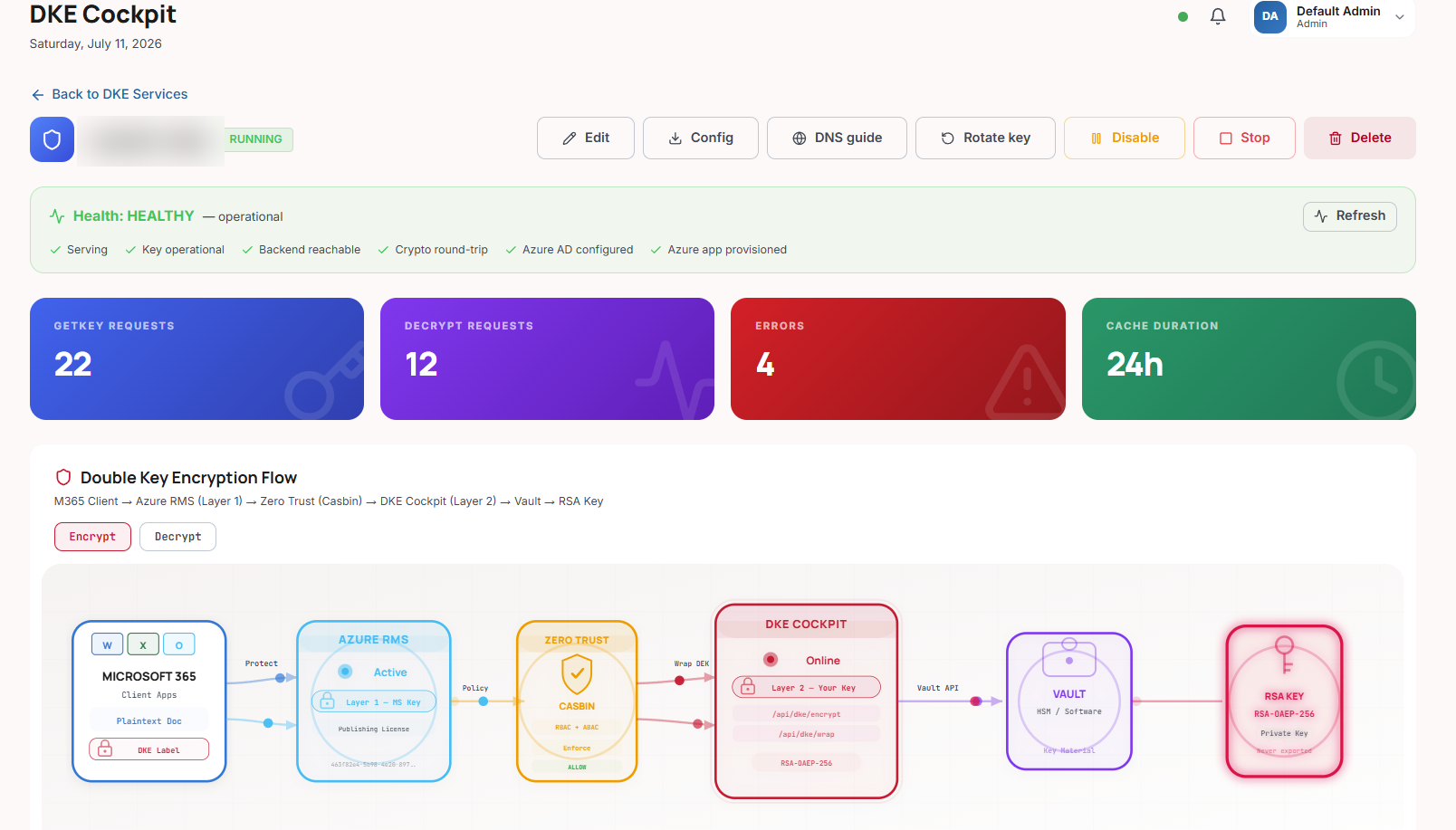
Provisioned → Running → Disabled → Stopped (+ Failed)
Only a Running service serves decrypt requests.
Managing a service
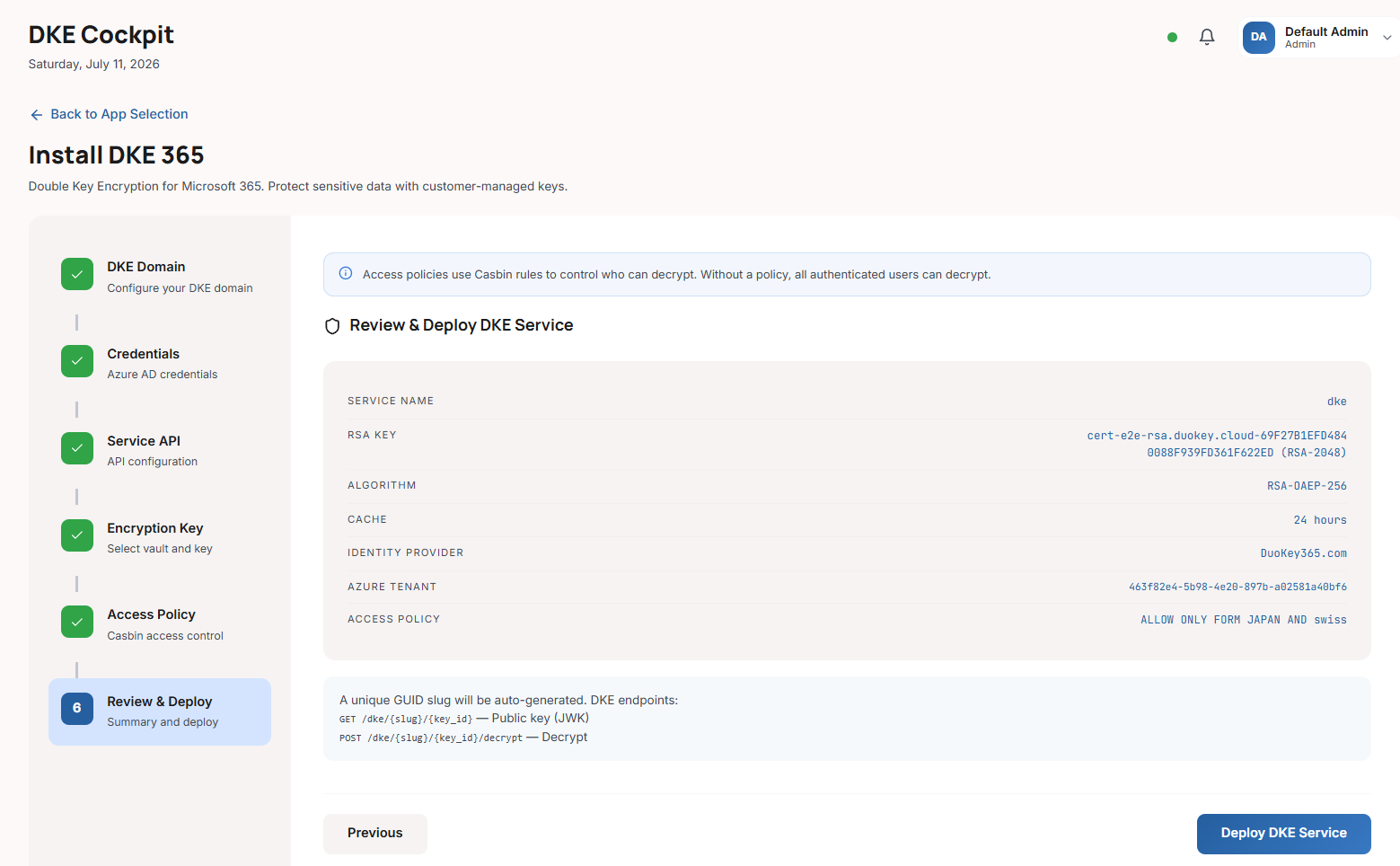
From the Cockpit you can deploy a new DKE service, validate that a key is DKE-capable, enable it (which auto-provisions the Azure AD app), disable or stop it, rotate its key with an overlap window, and monitor its health and onboarding (DNS / CNAME) guidance. Microsoft 365 / Office then call the service's public protocol endpoints (version, GetKey and Decrypt) directly.
Service configuration fields
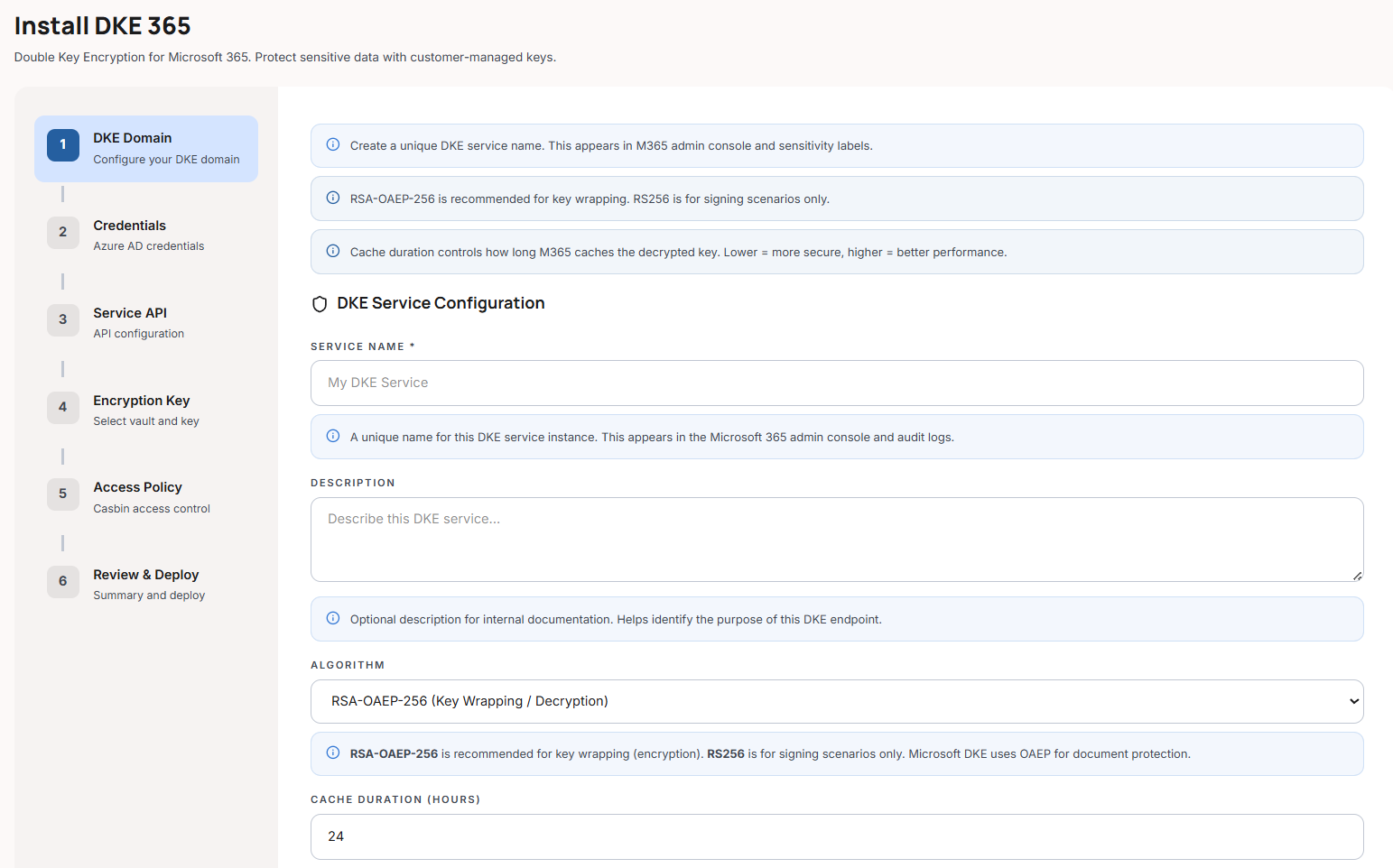
A DKE service is configured with:
Identity & routing
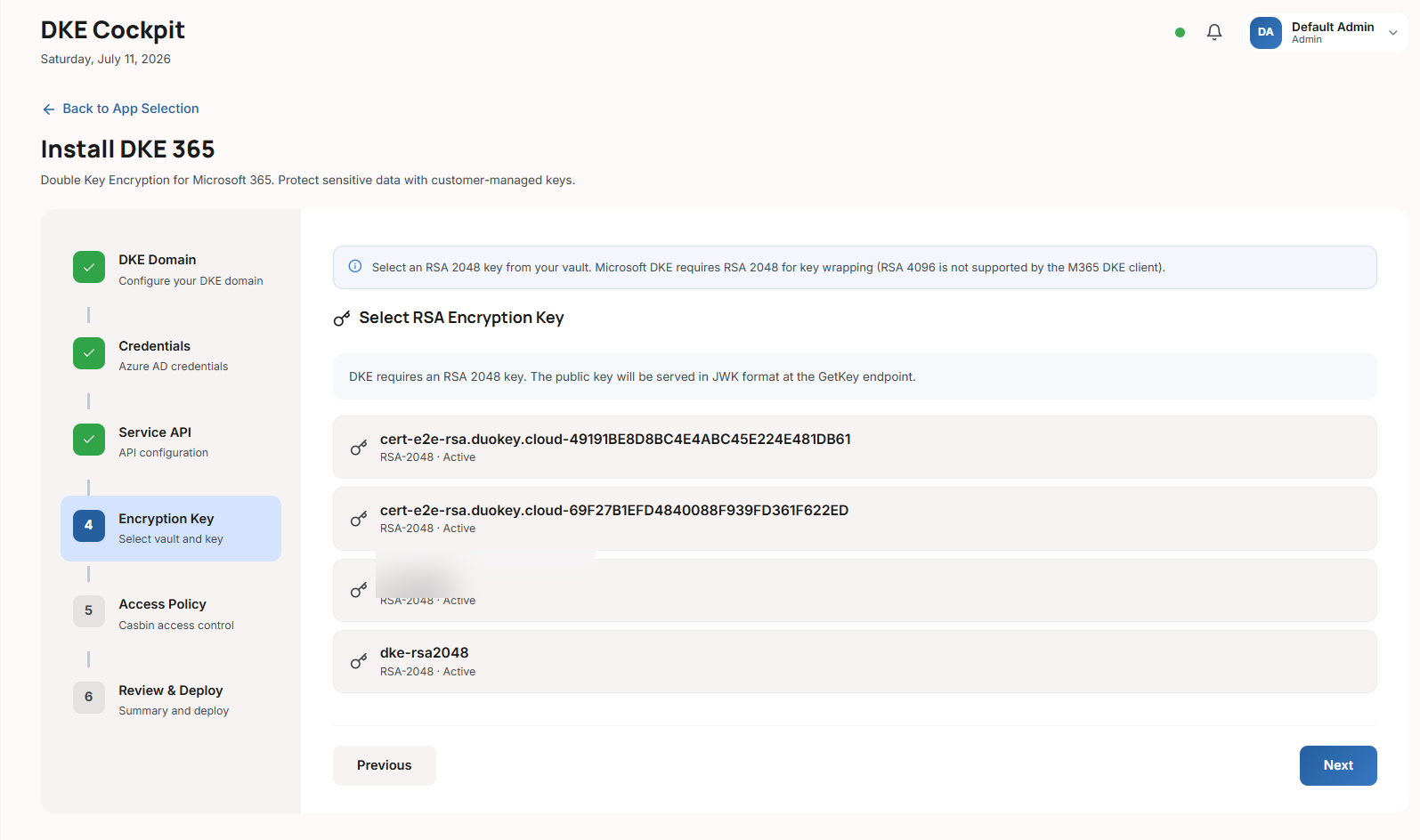
name, description, slug (a GUID used to build the service URL), key_id (the bound RSA-2048 key — also the identifier appended to the published kid URL), key_name, status.
Algorithm
algorithm: RSA-OAEP-256 (default) or RS256.
Key-rotation overlap
cache_duration_hours (default 24). During rotation the previous key keeps serving GetKey + Decrypt for this window (previous_key_id / previous_key_retires_at).
Azure AD / Entra
azure_tenant_id, azure_client_id, azure_audience, allowed_domains (B2B partner domains, each mapped to its own tenant's valid issuers), identity_provider_id (Graph credentials used to auto-provision the app).
Optional mTLS
mtls_enabled, mtls_client_ca_pem, mtls_allowed_subjects, mtls_header_name (default X-ARR-ClientCert).
Permissive decrypt
allow_anonymous (only honoured in non-production when the host also enables permissive mode; must never be used in production).
Access control
access_policy_id binds an access policy evaluated on every decrypt.
Example service configuration
{
"name": "Contoso DKE",
"slug": "89c3b193-af16-4887-8031-43f88d475d9d",
"key_id": "<rsa-key-uuid>",
"key_name": "dke_key",
"azure_tenant_id": "<azure-tenant-guid>",
"azure_client_id": "<app-guid>",
"azure_audience": "https://89c3b193-af16-4887-8031-43f88d475d9d.duokey365.com",
"allowed_domains": ["partner.com"],
"algorithm": "RSA-OAEP-256",
"cache_duration_hours": 24,
"mtls_enabled": false,
"allow_anonymous": false,
"access_policy_id": "<policy-uuid>",
"identity_provider_id": "<idp-uuid>"
}
GetKey / Decrypt flow
GetKey
Office fetches the service's public JWK to encrypt content under the organization public key. The published key is a standard RSA JWK whose kid is the service URL with the key's identifier appended (https://{slug}.{base-domain}/dke/{key_id}).
Decrypt
Office posts the wrapped key back. Cockpit v2 resolves the service, requires status Running, selects the effective key (current, or the previous key during the rotation window), performs optional mTLS validation, validates the Azure AD JWT, enforces the bound access policy, then RSA-OAEP-decrypts in the vault. The private key never leaves the vault.
Every decrypt is rate-limited per client IP under the crypto tier (1000 requests/minute).
The published key and the request/response payloads follow Microsoft's DKE protocol format, so Office and Purview interoperate with the service without any custom configuration.
Azure AD provisioning ("register" the service)
There is no separate "register" step. Registration = deploy → enable. On enable, if the service has an identity_provider_id and no Azure app yet, Cockpit v2 calls Microsoft Graph to create and configure the Azure AD app registration (identifier URI / audience, redirect URL), then stores the resulting azure_client_id, azure_audience, and azure_app_object_id. Graph credentials come either from the service's identity provider or from the host DKE_DEFAULT_GRAPH_* fallback.
The underlying Azure AD app supplying the Graph credentials must be a confidential client, admin-consented for:
| Permission | Type | Why |
|---|---|---|
| Application.ReadWrite.OwnedBy | Application | Minimum required — create the DKE app registration and manage the apps it creates. |
| Group.Read.All | Application | Lists security groups for the access-policy group picker. |
| email, profile, User.Read | Delegated | Needed when this same app also serves as the tenant's OIDC identity provider for Cockpit login. |
Some tenants additionally grant Application.ReadWrite.All (Application). It is not required for the minimum flow above — treat it as optional/tenant-specific rather than a hard prerequisite unless you've confirmed your tenant needs it.
Host-level DKE settings (Cockpit v2 environment)
These environment variables are set on the Cockpit v2 server:
| Variable | Purpose |
|---|---|
DKE_BASE_DOMAIN | DNS base for service connection URLs — each service is https://{slug}.{DKE_BASE_DOMAIN} (requires wildcard DNS + TLS). Also the JWT audience / Azure AD identifier-URI apex — there is no separate audience variable; a decoupled audience broke Word/MIP token acquisition and was removed |
DKE_DEFAULT_GRAPH_TENANT_ID / DKE_DEFAULT_GRAPH_CLIENT_ID / DKE_DEFAULT_GRAPH_CLIENT_SECRET | Fallback Microsoft Graph app used to auto-provision Azure AD registrations |
DKE_ALLOW_PERMISSIVE_MODE | Opt-in permissive decrypt for dev/test only — must be unset in production |
DKE_TENANT_DECRYPT_RPS_MAX | Per-tenant decrypt rate cap (default 100) |
DKE_JWKS_CACHE_TTL_SECS | Azure AD JWKS cache TTL for decrypt-token validation |
Microsoft Purview
DKE is the Purview / MIP DKE key store: sensitivity labels of type Double Key Encryption point at these GetKey / Decrypt endpoints (labels are configured on the Microsoft side — see Sensitivity Labels and Microsoft Purview). Cockpit v2 additionally offers a separate Purview DLP app type for data-loss-prevention integration.
Continue to Access Policies to control who, from where, and when may use a DKE key.