Understanding Scanner Results
Understanding Scanner Results
How to read the PQC Readiness dashboard, the Quantum Readiness Score, the CBOM, and individual findings — and how to act on them.
The PQC Readiness dashboard
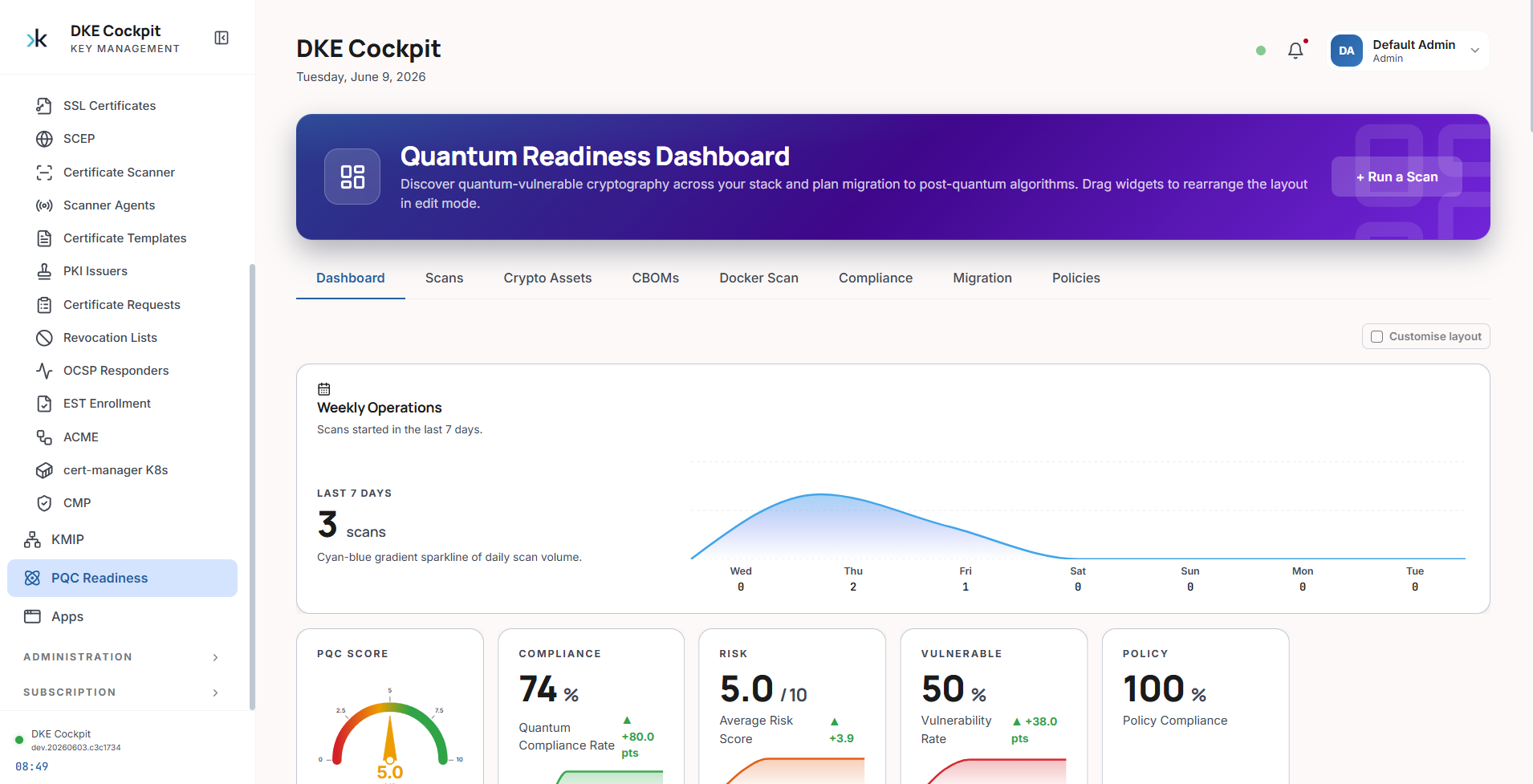
After a scan, results are summarized on the PQC Readiness dashboard. The headline widgets give you posture at a glance, and the tabs (Scans, Crypto Assets, CBOMs, Compliance, Migration, Policies) let you drill in.
| Widget | What it tells you |
|---|---|
| PQC Score | The headline gauge — your overall quantum readiness |
| Compliance | Share of assets meeting the selected framework(s) |
| Risk | Average per-asset quantum risk (0–10) |
| Vulnerable | Share of assets using quantum-vulnerable cryptography |
| Policy | Policy-compliance rate across scanned assets |
Quantum Readiness Score (QRS)
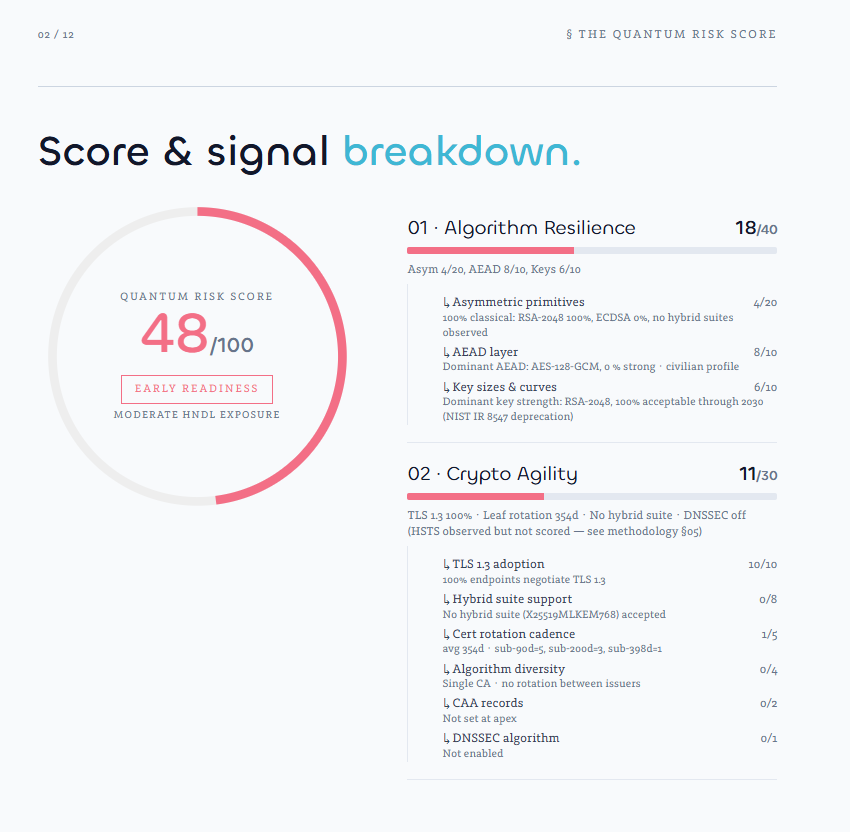
The QRS is a composite 0–100 score with four readiness bands. It is the best single number to track over time and to report to stakeholders.
| Score | Band | Meaning |
|---|---|---|
| 90–100 | Advanced readiness | Quantum-safe / hybrid widely deployed |
| 70–89 | Developing readiness | Migration well under way |
| 40–69 | Early readiness | Mostly classical — moderate HNDL exposure |
| 0–39 | Low readiness | Classical only — high HNDL exposure |
The report's score & signal breakdown shows exactly how the number was earned across the four signals (Algorithm Resilience, Crypto Agility, Harvest Exposure, Migration Posture) and their sub-signals:
Per-asset findings
Each finding is an individual discovered asset (a certificate, key, keystore or endpoint). It carries a quantum risk score (0–10), a severity, and a priority that orders your remediation queue.
| Severity | Priority | Suggested timeline |
|---|---|---|
| Critical | P0 | Immediate |
| High | P1 | Within 3 months |
| Medium | P2 | Within 6 months |
| Low | P3 | Within 12 months |
| Info | P4 | Monitor |
A finding includes the asset location, the detected algorithm and key size, the certificate metadata, the risk assessment (severity, priority, reasons), and a recommended action.
Certificate risk quick reference
| Algorithm | Risk | Action |
|---|---|---|
| RSA-2048 / ECDSA P-256 | High | Plan migration to hybrid / ML-DSA |
| RSA-1024, DSA, 3DES, RC4, MD5 | Critical | Replace immediately |
| RSA-4096 / ECDSA P-384 | Medium–High | Acceptable short-term; schedule migration |
| AES, ChaCha20-Poly1305, SHA-2 | Low / Info | Quantum-safe — no action |
| ML-KEM / ML-DSA / Hybrid | Low | Post-quantum — target state |
CBOM — Cryptographic Bill of Materials
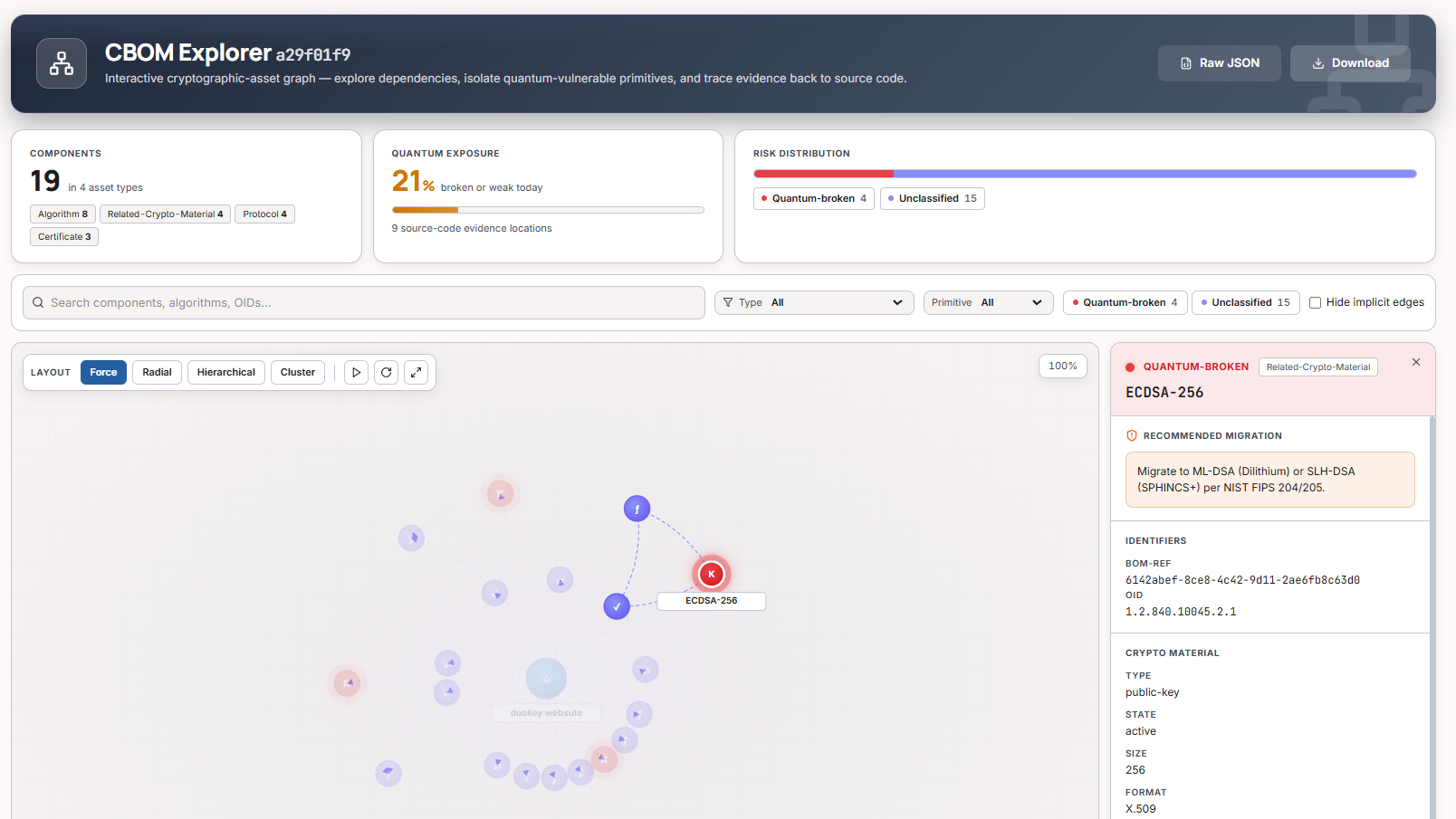
The CBOM Explorer renders the CycloneDX inventory as an interactive graph. It surfaces the share of components that are quantum-broken or weak, lets you isolate vulnerable primitives, and shows a recommended migration for each one.
Taking action
Triage by priority
Adopt hybrid first
Rotate certificates
Track the QRS
Export & reporting
| Format | Use |
|---|---|
| Executive Quantum Risk Assessment report | |
| CycloneDX CBOM (JSON) | Machine-readable cryptographic inventory |
| JSON / YAML | Automation and integrations |
| SARIF | CI/CD security tabs (GitHub / GitLab / Azure DevOps) |